An interactive points calculator, pitched by my team, that moves cardmembers from a no- or low-fee card to a higher-fee one — more fee revenue for Citi, more points and rewards for the customer. Built to flex across every device and still pass legal, brand, and every stakeholder in the room.
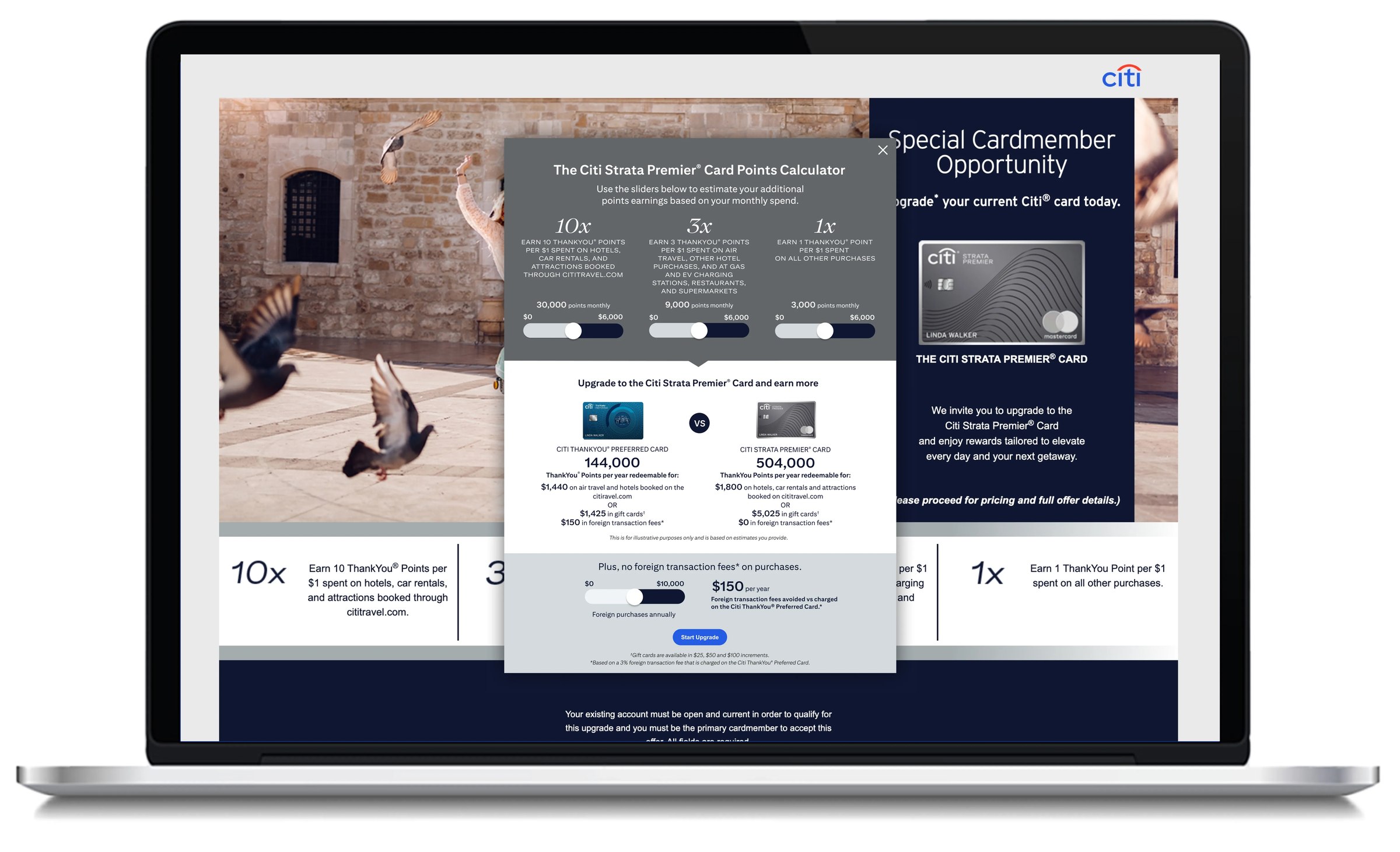
Citi's cards revenue was too heavily weighted toward interest balances — which ties the business's performance to macroeconomic conditions nobody controls. The more revenue could come from annual fees instead, the more stable and diversified the business becomes. The challenge was turning that into something a customer would actually want: no one upgrades to a higher-fee card just because a bank wants more fee revenue.
Marketing could already identify which existing cardmembers fit the right spend and behavior profile for an upgrade. What didn't exist was a moment that made the trade genuinely compelling to that customer — more ThankYou® Points and travel benefits, in exchange for a higher annual fee.
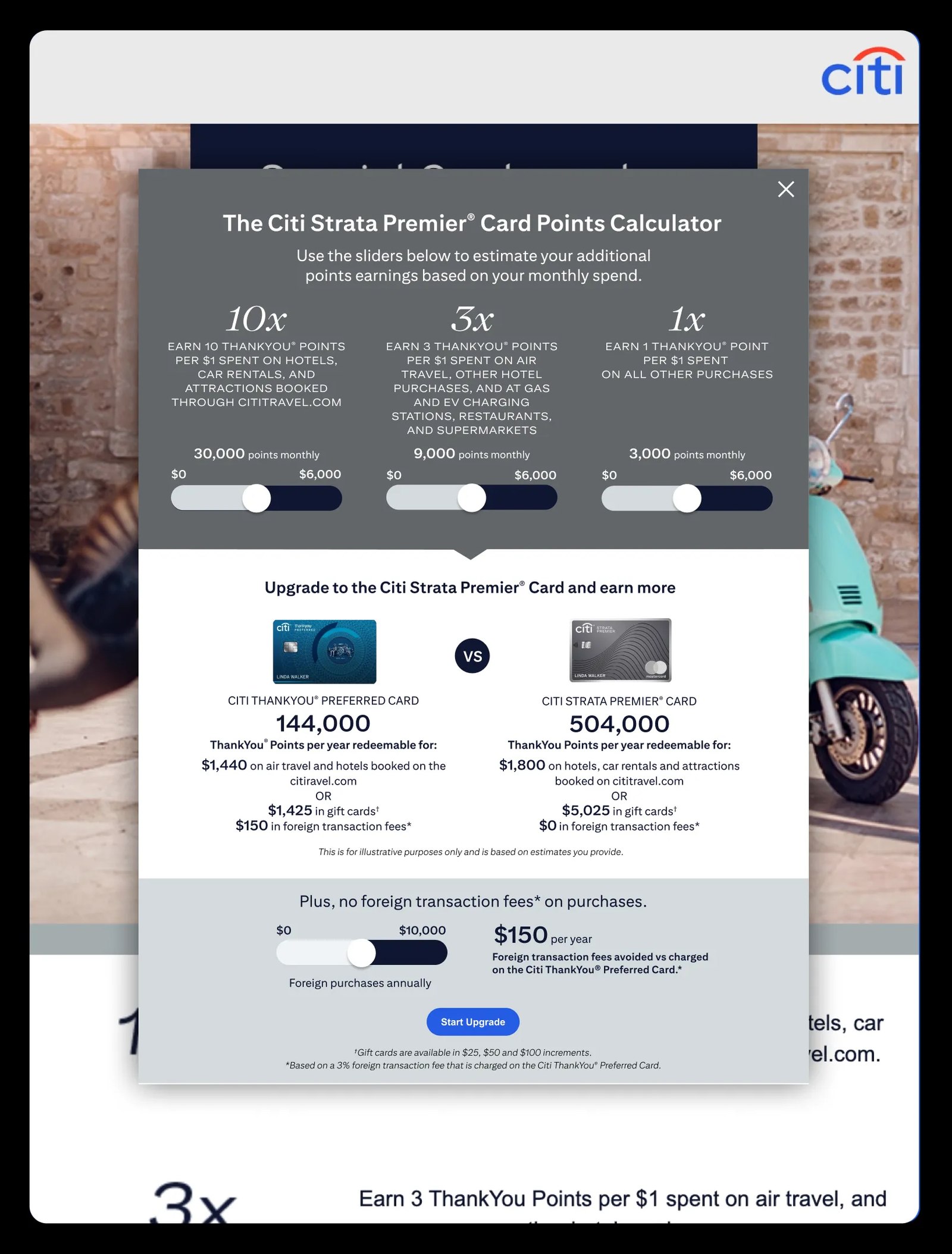
Marketing drove qualifying segments — cardmembers meeting specific spend and tenure criteria — into a targeted microsite built around one interactive moment: three sliders for monthly spend in each bonus category, recalculating in real time how many more ThankYou Points a customer would earn on the upgraded card versus their current one.
The hardest part wasn't the concept — it was making it work everywhere at once: every device and breakpoint, on-brand with the card's own look and feel, legally compliant down to the disclosure language on every slider, and acceptable to every stakeholder in the room, from product and marketing to legal and risk. My team did that under my leadership, presented the work with real confidence, and then ran the technical handover with Acxiom, the vendor who coded and deployed the final build on citi.com.
The team presented the concept and the UX with confidence, stakeholders across the business were genuinely pleased with the result, and legal cleared the messaging and flow without a fight — a rare combination for a tool whose entire purpose is moving customers to a higher-fee product. It's now live on citi.com, built and maintained by Acxiom off the handover my team ran.
live sliders recalculating projected points & fee savings in real time
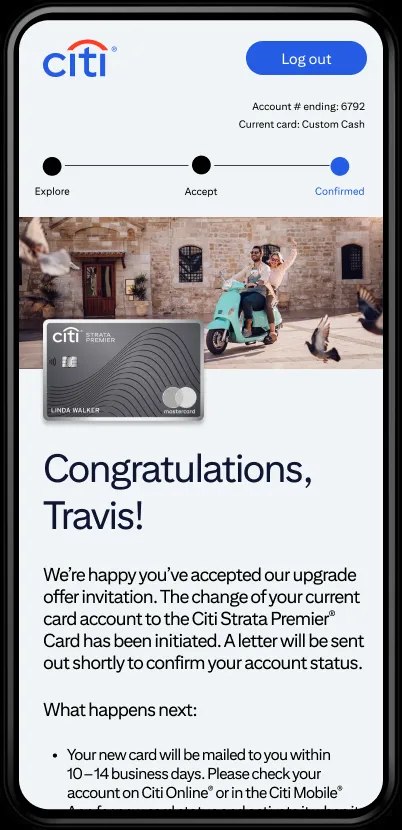
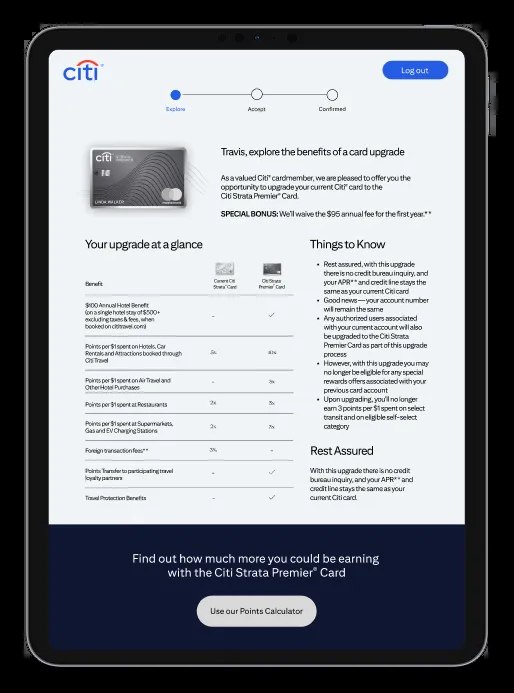
Explore → Accept → Confirmed — upgrade completed with no credit inquiry
product, marketing, legal & risk all signed off on the same build
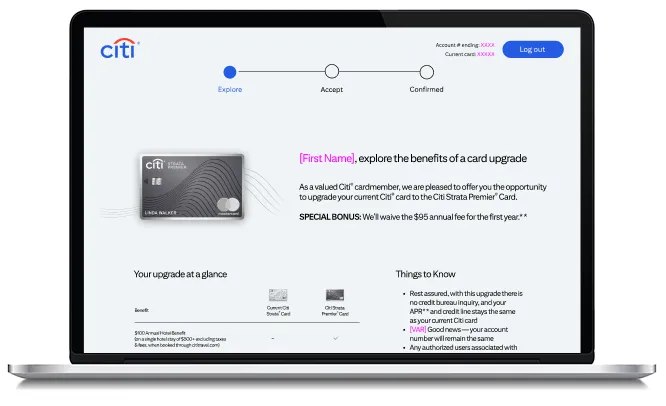
Across devices